


Sale!
Mercedes Comand Repair – NTG6
238,00 € – 850,00 €
Select options
This product has multiple variants. The options may be chosen on the product page

Is your Mercedes navigation system constantly restarting, stuck at the logo, or showing “Bootloader active”? ProDiag Bremen offers repairs for NTG 4.5, 5.1, 5/5.2, 5.5, and 6. The appropriate service depends on the installed device and the error pattern.
Select your system below and compare the described symptoms. If you do not know the NTG version, send us an inquiry with the FIN and a description of the error. The model series alone is not enough for a reliable identification.
NTG 6 · NTG 5.5 · NTG 5 / 5.2 · NTG 5.1 · NTG 4.5
In the event of restarts, a black screen, or a canceled update, the cause should be clarified first. If the device is working and you only need newer map material, you can find the offers under Mercedes Navi Update.
Please provide the 17-digit FIN, the NTG version (if known), and the exact message on the screen. Describe when the error first occurred and whether an update or repair attempt was made previously.
You can send a photo of the message via WhatsApp by arrangement. To request a repair, please use the form on this page.
Typical error patterns:
238,00 € – 850,00 €

99,00 € – 699,00 €
Typical error patterns:
Typical error patterns:
“Bootloader active”
Device constantly restarts
Fan runs permanently at full volume
Display in Japanese language → Conversion to ECE version
Black screen / no picture
CD/DVD drive or changer does not work
Navigation not enabled
Digital operating instructions missing
Theft protection active

99,00 € – 799,00 €

399,00 € – 599,00 €
Typical error patterns:
Typical error patterns:
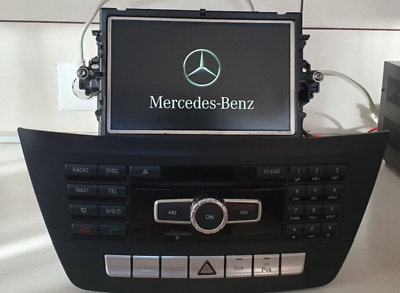
99,00 € – 599,00 €
In our COMAND repair category, you will find repair offers sorted by NTG version. The price displayed depends on the selected service.
Please only select a repair once the system and error pattern have been identified. If several symptoms occur or the cause is unclear, please inquire before ordering.
We use your details to respond to your enquiry. Information on how we handle your data and your rights is available in our privacy policy.
Repair costs depend on the NTG version and error pattern. You can see the current price for a specific service after selecting it in the respective repair product.
If the cause is unknown, there are multiple errors, or repair attempts have already been made, we will first clarify the scope based on your inquiry. Describe the behavior of the device as accurately as possible and provide the FIN.
Very inconspicuous place. The workshop is superbly done and Nic really knows what he’s doing. I had him convert my speedometer to digital and install illuminated air vents and 3D Burmester tweeters. I felt like I was bombarding Nic with questions and he knew the answer to everything. He is just as enthusiastic about the results as I am. Simply 1st class! Laying the cables, etc. As original from the factory.
Retrofitting a reversing camera in my MB B-Class.
Quickly received a quote.
Everything agreed was correctly adhered to.
Mr. Rogalski is friendly and competent.
I would gladly go there again and again for other matters.
I give it 5 stars because everything was perfect.
Steering wheel conversion on my station wagon by ProDiag-Bremen.
I can recommend the company without reservation. Nice contact, friendly reception, clean execution. 1A in all respects.
Many thanks again!
Retrofitting DAB+ in the A205 Cabrio Professional retrofitting and coding of DAB+ in my A205. Very professionally executed installation with only original parts. Very nice and reliable contact. Absolutely recommendable.
The 600 km journey was definitely worth it.
The drive unit control unit was retrofitted and coded on my W213 AMG &
Various updates were installed.
All questions were answered in detail on site.
Workshop is very clean and very professionally equipped.
The work was done absolutely conscientiously.
The vehicle was also vacuumed out when it was handed over.
Service and work are the top priority here.
Price / performance is absolutely excellent.
Perfect service! Polite communication in English en took all the time to explain the details of his service. Will come back (online) again!
Super friendly, very professional and very good clean work. I can only recommend them at any time.
I have already used the service several times. To read out error codes etc. Even if it was at short notice or late at night, I was always helped!
I am completely satisfied ??
I have been to Benzcoding 3 times now and have always experienced very good service. The conversions are perfect. Everything is very professional. The price is also very good. The guy knows what he’s doing. Very competent even with difficult things. Also helps with problems where Mercedes has already given up. Will definitely come back again.